


Can You Replace an Obsolete HMI Without Replacing the PLC?
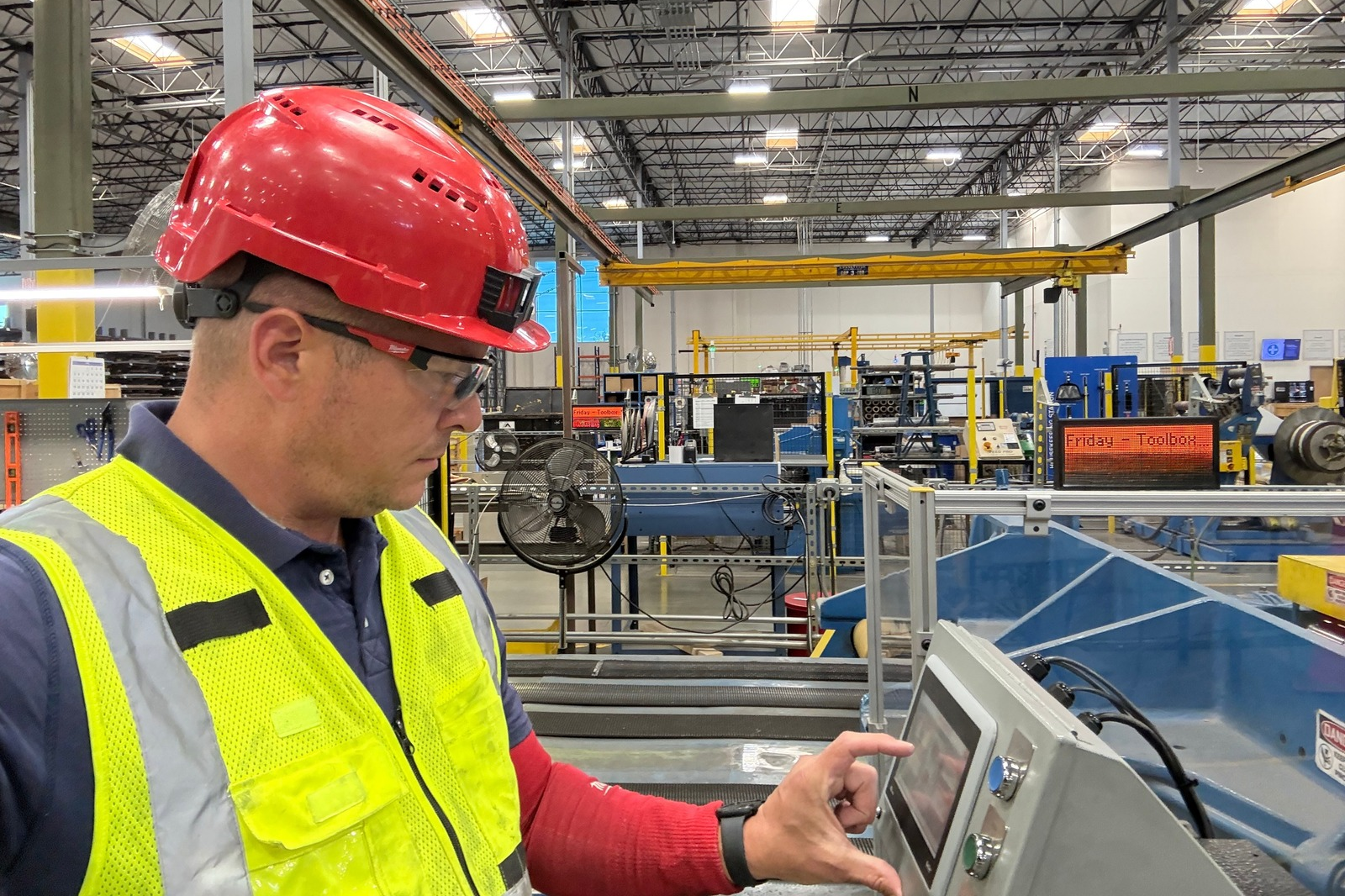
Photo Source: Control Concepts
A failed or obsolete HMI can make an otherwise healthy machine feel a lot closer to the end of its life than it really is.
The screen may be dim, unresponsive, impossible to repair, or no longer available from the manufacturer. But that doesn’t automatically mean the PLC behind it needs to go too.
In many cases, you can replace an obsolete HMI and keep the existing PLC. The real question is whether the new HMI can communicate with the controller and whether the original HMI application can be migrated, recovered, or recreated.
That’s where the job can be very simple or get complicated pretty quickly.
Can you replace an obsolete HMI without replacing the PLC?
Often, yes. If the existing PLC is reliable, still supported well enough for the application, and can communicate with a modern HMI, there may be no reason to replace it.
It helps to remember that the HMI and PLC do different jobs.
The PLC, or programmable logic controller, is generally running the machine logic. The HMI, or human-machine interface, gives the operator a way to see what’s happening and interact with that logic.
The HMI may display temperatures, speeds, alarms, production counts, setpoints, and machine status. It may also let an operator start a sequence, change a recipe, adjust a setting, or acknowledge a fault.
If the screen fails, the PLC may still be sitting there doing exactly what it was doing before. You’ve lost the window into the system, not necessarily the system itself.
That’s why an HMI failure shouldn’t automatically turn into a full controls replacement.
What actually has to match when you replace an HMI?
The new HMI doesn’t have to be identical to the old one, but it does have to work with the system around it.
The first thing to look at is communication.
A new panel needs a way to communicate with the existing PLC using a protocol and physical connection both devices support. Depending on the age of the system, that could mean Ethernet, serial communications, or an older proprietary network.
Then there’s the application itself.
The new HMI needs to know which PLC addresses or tags it’s reading and writing, what each screen should display, what buttons should do, how alarms work, and what information the operator needs to run the machine.
Other things that may need to be considered include:
- PLC make, model, and firmware. The replacement HMI needs a compatible communication driver.
- Communication protocol. The old panel may be using a network or protocol the new hardware handles differently or doesn’t support at all.
- Screen size and resolution. A converted application may not fit a newer display correctly without some cleanup.
- Tags and addresses. The new application still has to point to the right information in the PLC.
- Alarms and messages. These need to carry over accurately so operators aren’t missing important machine information.
- Recipes, trends, and stored data. If the old HMI handled these functions, they may need additional work during the conversion.
- User access and passwords. Operator, maintenance, and supervisor permissions may also be part of the HMI application.
- Physical fit. A replacement screen with different dimensions may require a new mounting plate, bezel, or panel modification.
This is why replacing an HMI can be anything from a fairly straightforward migration to a small controls project of its own.
The model number on the front of the panel is only the beginning of the conversation.
Why does the original HMI program matter?
If you have the original editable HMI application, the replacement usually gets a lot easier.
That file contains the screens, tags, alarm configuration, navigation, button functions, communication settings, and other information that tells the HMI how to behave.
Depending on the platform and age of the application, that project may be convertible to newer hardware instead of having to be built again from scratch.
But conversion doesn’t always mean pressing one button and calling it done.
Newer HMIs may use different screen resolutions, fonts, communication drivers, security features, or objects. Some features from an older application may not migrate directly and need to be corrected manually.
Rockwell’s own migration guidance, for example, notes that legacy PanelView applications can be converted for newer PanelView Plus hardware, but the application and PLC logic may still require updates when older objects or features don’t migrate directly.
That’s pretty typical of controls migrations in general.
Software can do a lot of the heavy lifting. Somebody still needs to check the result.
What if you don’t have the original HMI program?
This is where things get more interesting, but a missing application file doesn’t automatically make the machine a lost cause.
First, figure out exactly what you do have.
There may be a copy on an engineering computer, maintenance laptop, old server, USB drive, memory card, backup disk, or tucked into a project folder nobody has opened in years.
And it’s worth being careful with the word backup.
A backup that can restore a panel isn’t always the same thing as the editable engineering project used to create it. Depending on the HMI platform, you may be able to restore a device backup to compatible hardware without having the original project file needed to edit or modify the application.
If the editable project really is gone, the replacement HMI may need to be recreated.
That usually means working backward from whatever information is still available: the PLC program, electrical drawings, tag lists, screenshots, manuals, operator knowledge, and, if the old HMI still works at all, the screens themselves.
It takes more work, but sometimes rebuilding the application is still far more practical than replacing a PLC that’s doing its job perfectly well.
Can a newer HMI communicate with an older PLC?
Sometimes very easily. Sometimes that’s the part that decides the whole project.
A modern HMI can often communicate with older PLC hardware as long as the HMI supports the correct protocol and the physical connection can be made.
But “older PLC” covers a lot of territory.
Some legacy controllers use communication methods that newer panels still support directly. Others may need a protocol converter or gateway. And some are old enough that building a new operator interface around them starts to create more compromises than it solves.
This is where I’d resist the temptation to choose an HMI based on screen size or price first.
Start with the PLC.
What controller is actually in the machine? What firmware is it running? How is the existing HMI connected? What protocol is being used? Are there other devices sharing that network?
Once you know that, choosing the HMI gets much easier.
If you’re already dealing with an aging controller too, it may be worth looking at the bigger picture before committing to an HMI-only replacement. Our article on planning a PLC upgrade without unnecessary downtime walks through that side of the decision.
Do alarms, recipes, trends, and passwords have to be rebuilt?
They may, especially if the application can’t be migrated directly.
It’s easy to think of an HMI as a collection of screens and buttons, but there can be a lot more happening behind those screens.
A machine may rely on the HMI for:
- Alarm messages and alarm history
- Production recipes
- Setpoint entry
- Trending and historical data
- Production counters
- Operator logins and permissions
- Maintenance screens
- Calibration functions
- Diagnostic information
- Communication with other devices
Some of those functions may exist entirely in the HMI. Others may depend on information stored in the PLC.
That’s why a replacement project should start with understanding how the machine is actually used, not just copying whatever happens to be visible on the home screen.
Talk to the operators.
Ask maintenance which screens they use when something goes wrong.
Find out whether production depends on recipes nobody wants to recreate from memory.
The little things tend to become very important about five minutes after the new panel is installed.
When does replacing only the HMI stop making sense?
If the PLC is healthy and compatible with the replacement panel, keeping it can be a perfectly reasonable decision.
But there are situations where replacing only the HMI starts to feel like putting a new front door on a house you’re about to renovate anyway.
If the PLC is also obsolete, replacement parts are getting difficult to find, programming software is no longer practical to support, or the communication network creates major limitations, it may make more sense to modernize both at the same time.
The same is true if the machine already needs major changes.
Maybe production wants new functionality. Maybe you’re adding drives, motion control, remote I/O, data collection, or updated networking. Maybe the controls have been patched and modified so many times that nobody has a good picture of the system anymore.
At that point, it’s worth comparing the cost and downtime of replacing only the HMI with the cost of doing the controls upgrade once and giving the machine a cleaner path forward.
That doesn’t mean old controls should automatically be replaced.
It means you should know what you’re building around before you spend money protecting it.
We use the same thinking when evaluating whether to replace or retrofit an older industrial machine.
What should you save before an old HMI fails?
If you have an older HMI that’s still working, this is one of those jobs that’s much easier to do before you need it.
Start by finding the editable application and making a verified copy of it.
Then document enough of the existing system that someone unfamiliar with the machine could understand what’s connected to what.
That should include things like:
- HMI manufacturer and model number
- PLC manufacturer and model number
- Firmware and software versions
- Editable HMI project files
- PLC program backups
- Communication settings
- IP addresses or serial settings
- Network layout
- HMI and PLC cables or adapters
- Panel cutout dimensions
- Photos of the installation and wiring
- Screenshots of important HMI screens
- Alarm lists
- Recipes or production settings that would be difficult to recreate
If the machine uses old programming software, make sure you also know where that software lives and what hardware is needed to connect to the system.
Manufacturers make this same point in their migration guidance. Siemens, for example, recommends saving and documenting PLC programs, HMI configurations, user data, software versions, and compatibility information before beginning a controls migration.
It isn’t exciting work.
It’s also a lot easier than trying to reconstruct a twenty-year-old control system while production is waiting for you to get it running.
What does an HMI replacement look like in the real world?
A good HMI replacement should feel boring to the operator.
That’s actually a compliment.
The new screen may be brighter, faster, easier to support, and built on current hardware, but the person running the machine shouldn’t have to relearn the entire process unless there’s a good reason to change it.
The important functions should still be where they make sense. Alarm messages should still mean what they’re supposed to mean. Setpoints should still go to the right places. Machine status should still be clear.
Behind the scenes, though, there may be quite a bit of work involved in getting there.
The replacement could require application conversion, tag verification, communication setup, screen resizing, new mounting hardware, testing every operator function, and confirming that the HMI is reading and writing the correct PLC data.
That kind of integration is a normal part of the retrofit work Control Concepts does with PLCs, HMIs, drives, and existing machine controls. Control Concepts’ automation capabilities include both new systems and retrofits that integrate HMI and PLC equipment with existing machinery.
The goal isn’t to make the machine look newer.
It’s to make sure the new interface lets the machine keep doing its job reliably.
Frequently Asked Questions
Can I replace an obsolete HMI with a different brand?
Sometimes. The replacement HMI needs to support communication with the existing PLC, and the application will usually need to be converted or recreated in the new manufacturer’s software. The amount of work depends on the original system and how complicated the HMI application is.
Do I have to replace the PLC when the HMI fails?
No. If the PLC is still reliable and the replacement HMI can communicate with it, the PLC can often stay. The condition, supportability, and expected remaining life of the controller should still be considered before building a new HMI around it.
Can you recover the program from a dead HMI?
It depends on the HMI and what type of backup or project files are available. A device backup isn’t always the same as an editable HMI project, so the application may need to be recovered from another source or recreated if the original engineering file is gone.
What happens if my new HMI doesn’t support the old PLC protocol?
Depending on the system, there may be another communication option or a gateway that can bridge the two devices. In other cases, the communication limitation may be a good reason to consider replacing the PLC as part of the upgrade.
Should I replace an old HMI before it fails?
If the HMI is obsolete and important to production, planning the replacement before a failure gives you time to locate backups, confirm compatibility, convert the application, test the new panel, and schedule the installation instead of doing all of that during an emergency.
Dealing with an HMI that’s obsolete or already dead?
If you’re staring at an old HMI and wondering whether replacing the screen is about to turn into replacing half the machine, talk it through with Control Concepts.
We work with modern and legacy PLC and HMI systems and can look at the existing controller, communication method, application files, hardware, and machine requirements before deciding how much actually needs to change. Control Concepts has decades of hands-on experience supporting and integrating both current and obsolete industrial controls.
Sometimes the answer really is just a new HMI.
Sometimes rebuilding the application is the hard part.
And sometimes looking at the whole controls platform now saves you from doing the job twice.
The important thing is figuring that out before you start replacing equipment.